Assigning a Result to a Patient and Order
To assign an incoming result to a patient and test order, click on the 'Assign' button. The report will be displayed on the left side of the screen and all potential patients and test orders will be listed on the right. As the Concert Platform begins linking fax numbers to possible labs, only test orders from those laboratories will be displayed, simplifying the assignment process.
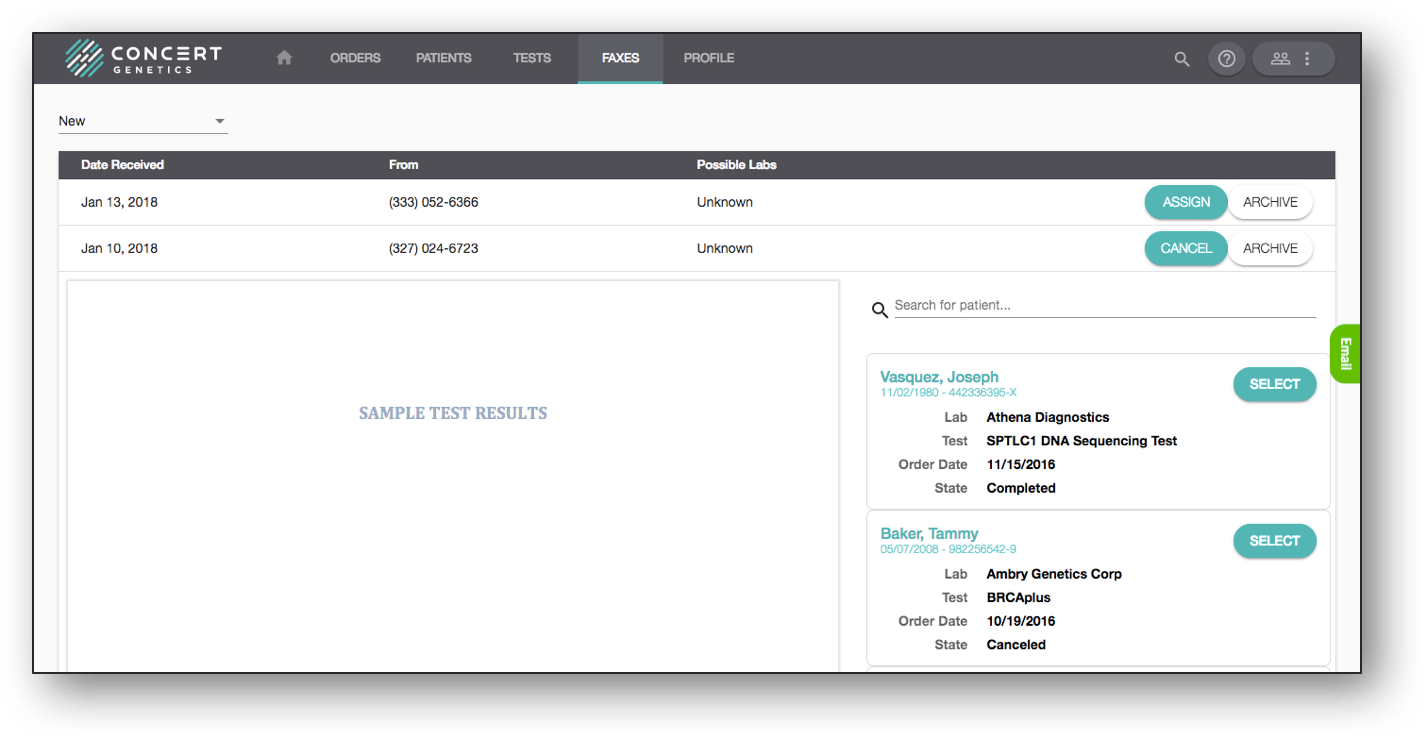
To assign a report to the test order, click on the 'Select' button next to the appropriate test (see above). Once you select the appropriate patient, you will be prompted to provide some additional information to summarize the results of the test, including the result and the status of the report (see below). If you would prefer to not capture the result of the test in the platform, select 'Skip Classification'.
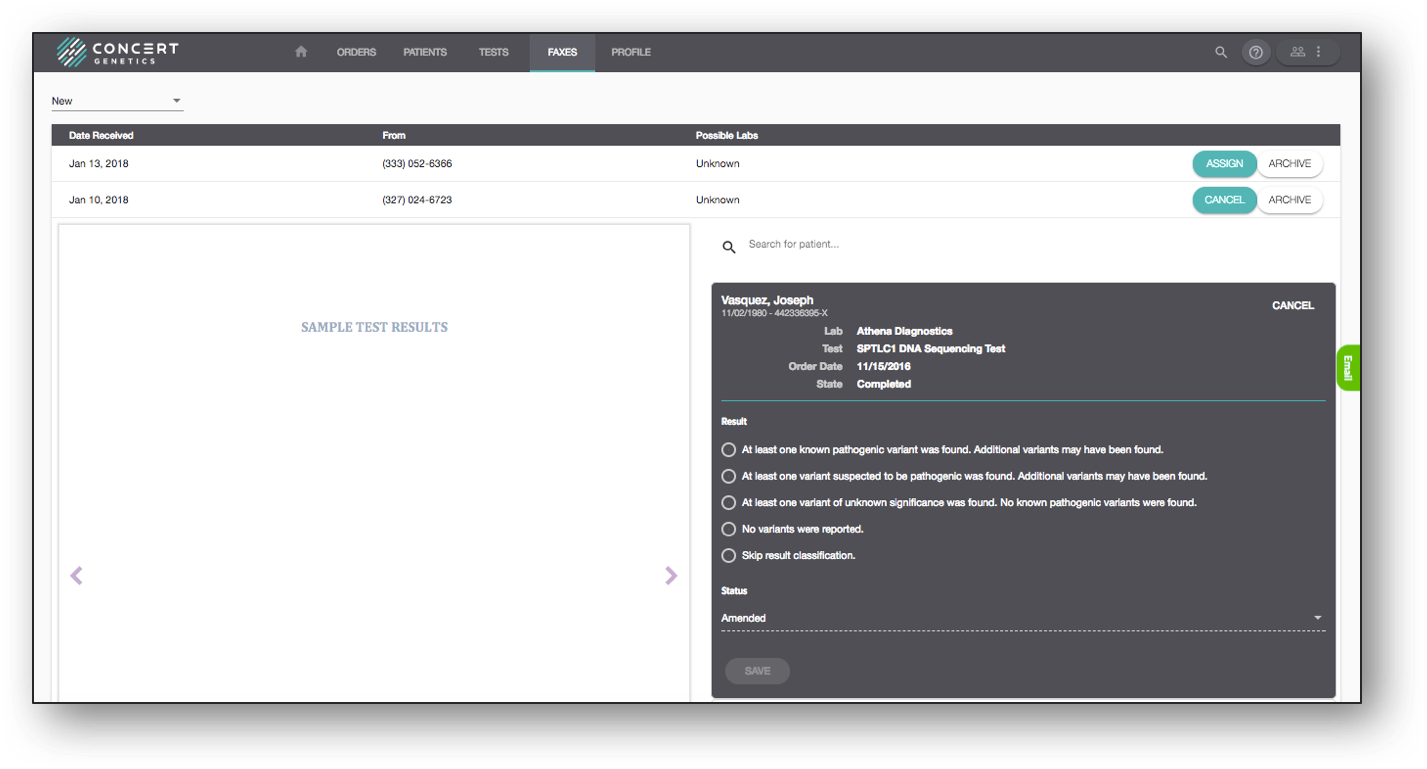
After completing the requested information, hit 'Save'. At this point the report will be linked to the appropriate patient and test, and will move from the Faxes folder to the Results folder on the relevant order’s Submit and Manage page, where users who don't have permission to access the Faxes folder will be able to access it.