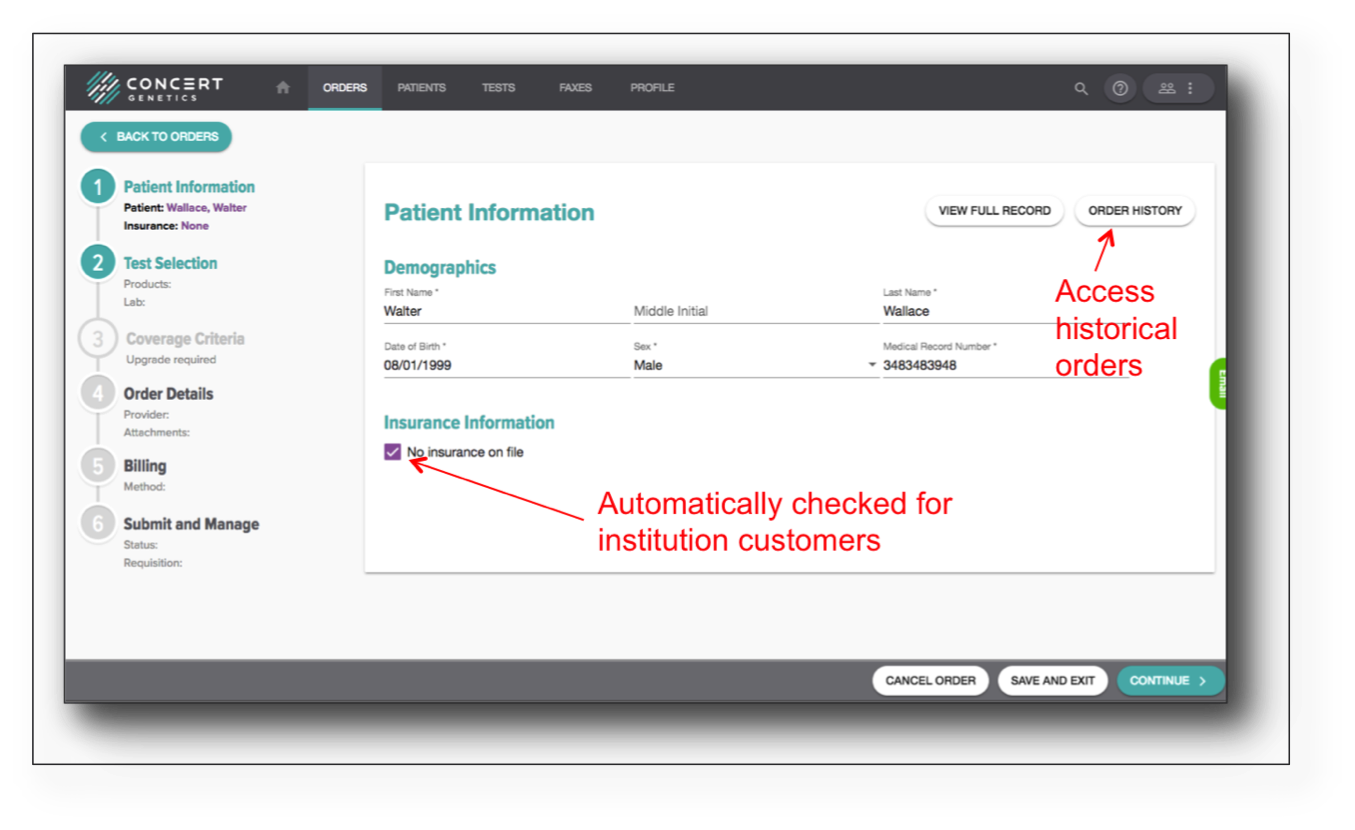
Step 1: Patient Information
Search for patient by name, date of birth or MRN. If the patient is found, select the patient. If the patient is not found, click the ‘+’ button to create a new patient.

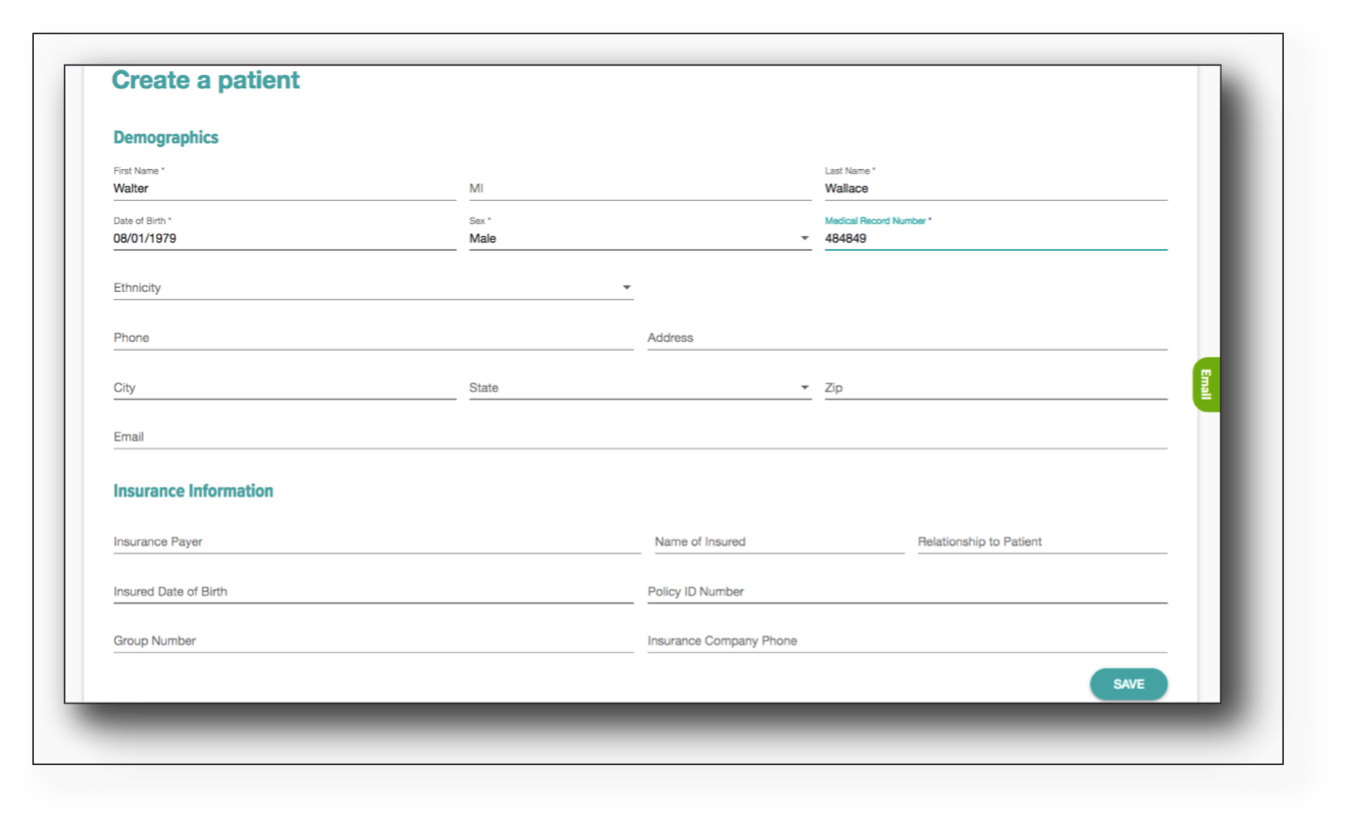
When creating a new patient, complete the basic patient information. The five required fields on the page are: First name, Last name, DOB, Sex, MRN. Once completed, click ‘Save’ to return to the order process.
For hospital customers, ‘No Insurance on file’ will be checked automatically to minimize workload. To add the patient’s insurance information, uncheck the box. Click ‘Order History’ to see historical orders for the patient and ‘View Full Record’ to see all patient information.