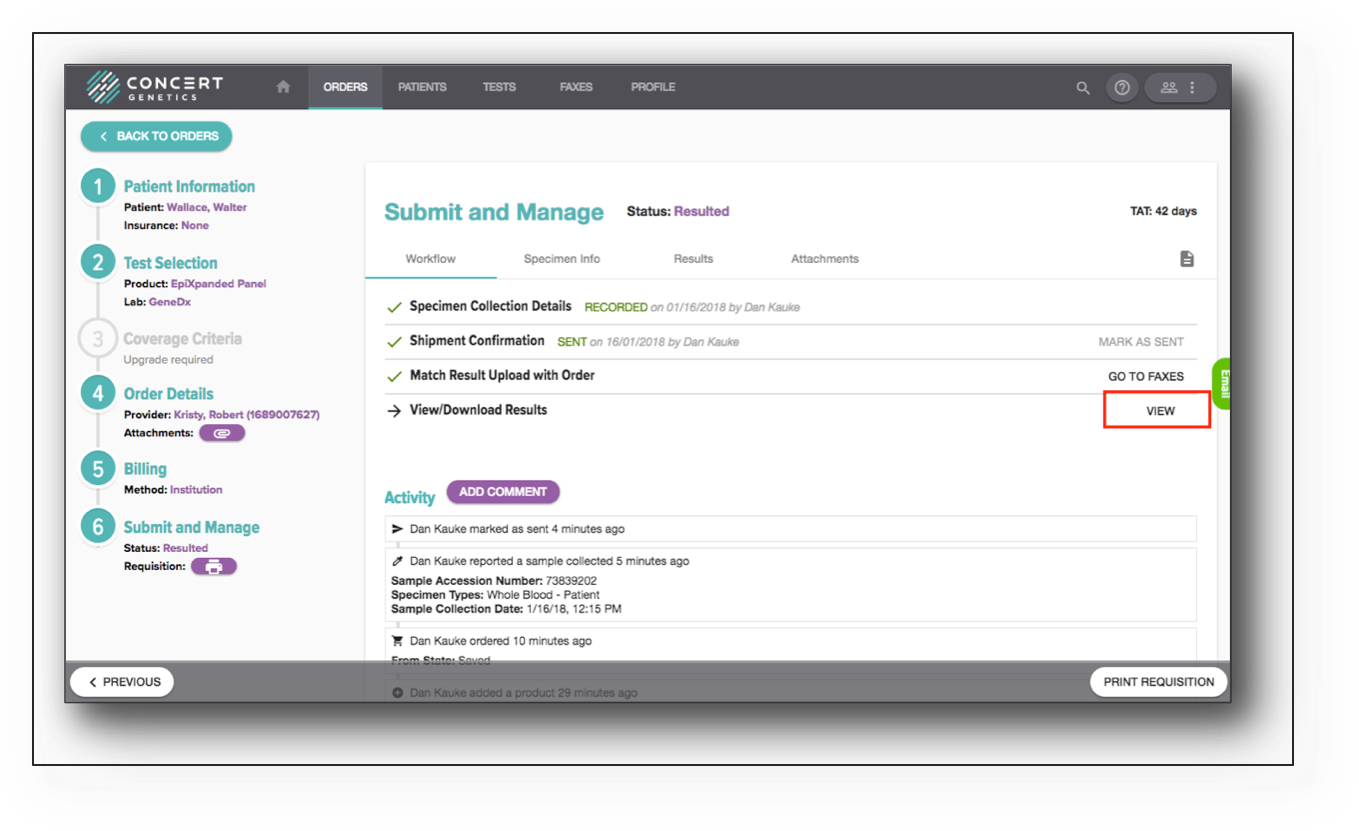
Workflow
Once the order is submitted, the next step is to document the Specimen Collection Details. Document the collection date and time (both fields are required), along with the optional specimen type, accession # and additional id #. Click ‘Submit’ once complete.

Once the specimen collection information is documented, the next step is to document that the order has been sent to the performing lab. Click ‘Mark as Sent’ to document the date sent to the lab.

For orderable (non-partner labs), the next step of the workflow will be to Match Result Upload with Order. When returned to your institution, the result will be found in the Faxes folder. To access, click ‘Go to Faxes’. For partner lab orders, this step will not be listed.
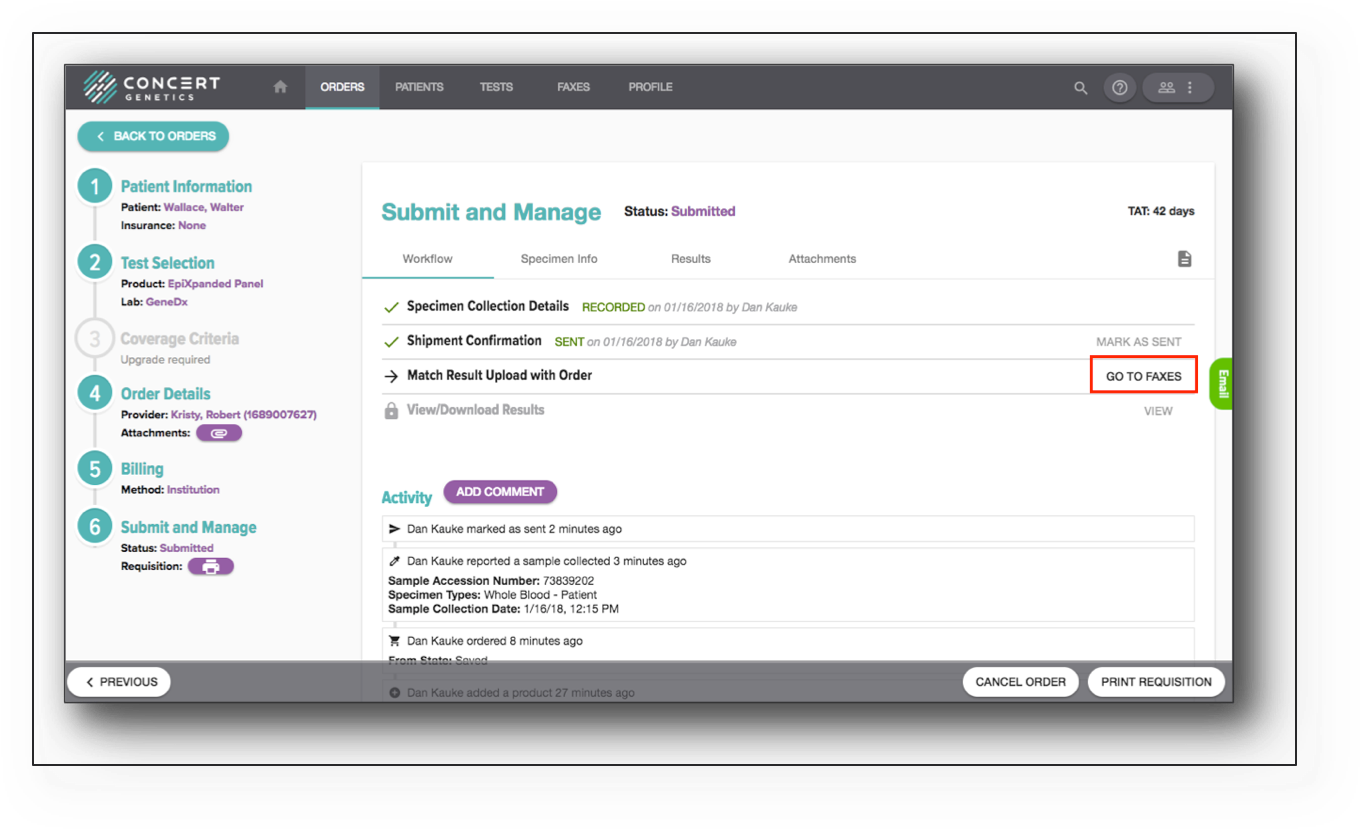
When the result has been assigned for orderable labs or uploaded by partner labs, the ‘View/Download Results’ step will illuminate. Click ‘View’ to view/download the result or to mark it as processed.