Change Date Range
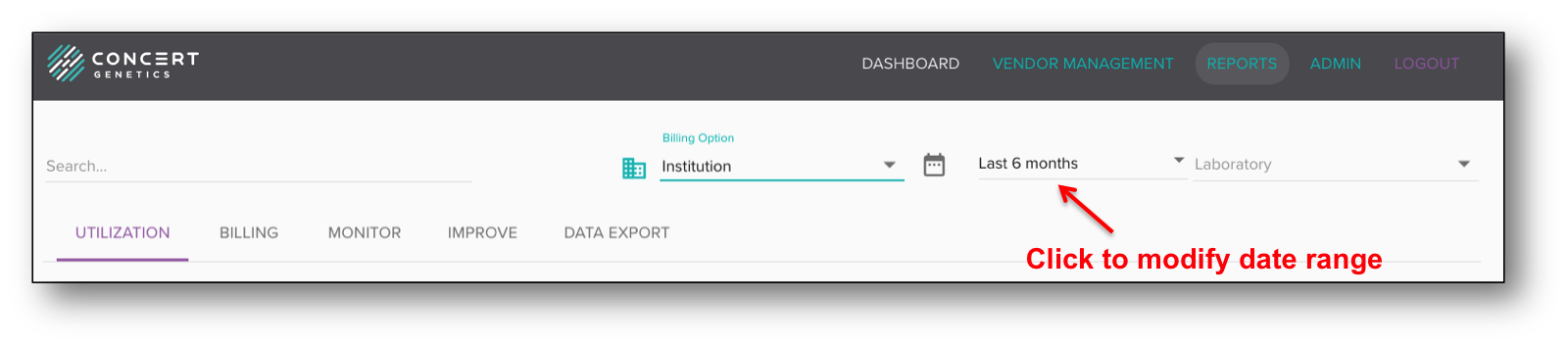
The Date Range applies to all reports and will stay the same as the administrator moves from one report to the next. The date range will determine which period of time the data will be processed and analyzed. To modify the date range, click on the 'Range' button.
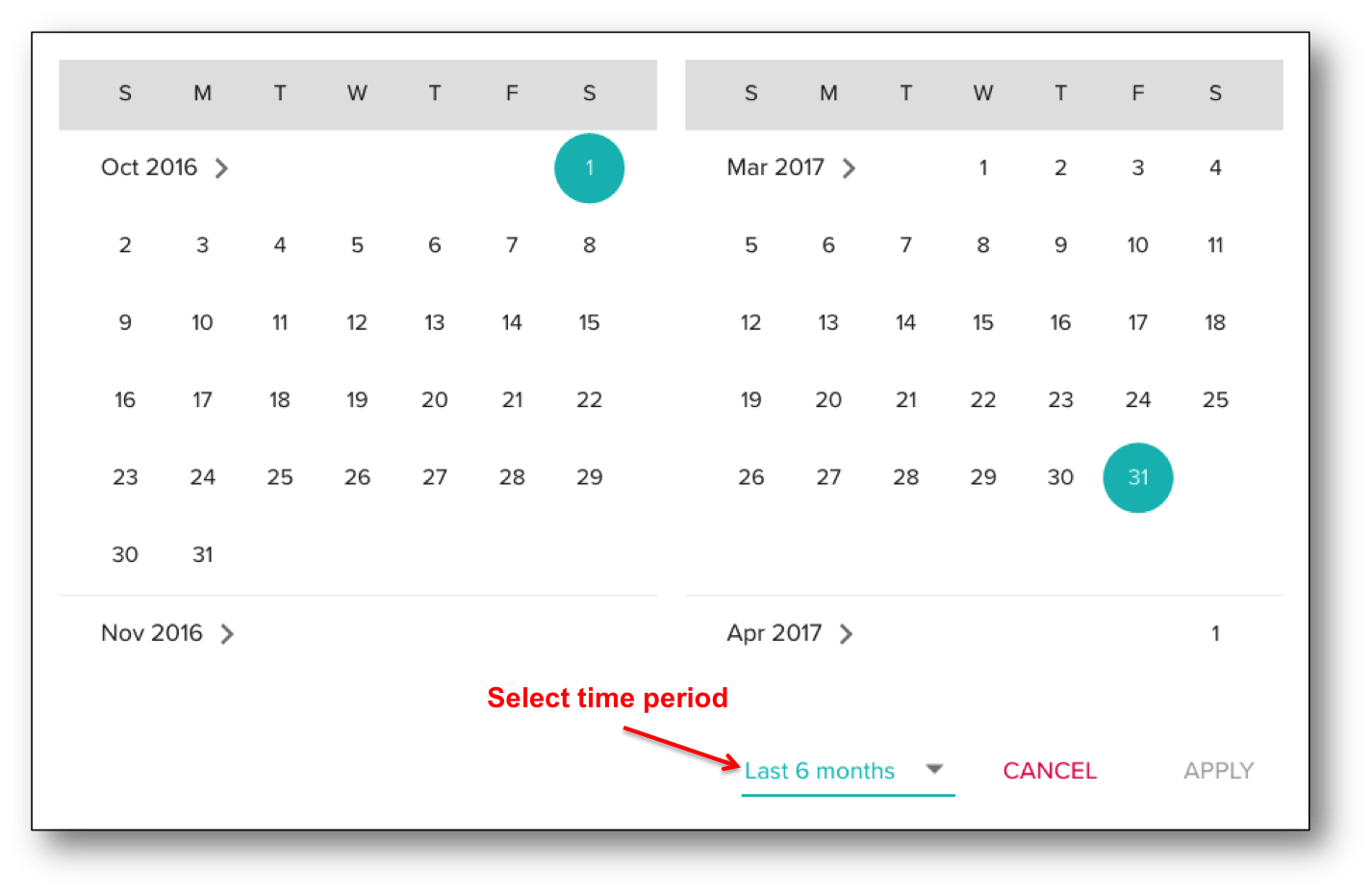
The Concert Platform has six (6) pre-defined time periods: Last week, Last month, Last 6 months, Last 12 months, Last 7 days and Last 30 days. To select one of those time periods, click the dropdown and highlight the preferred range.
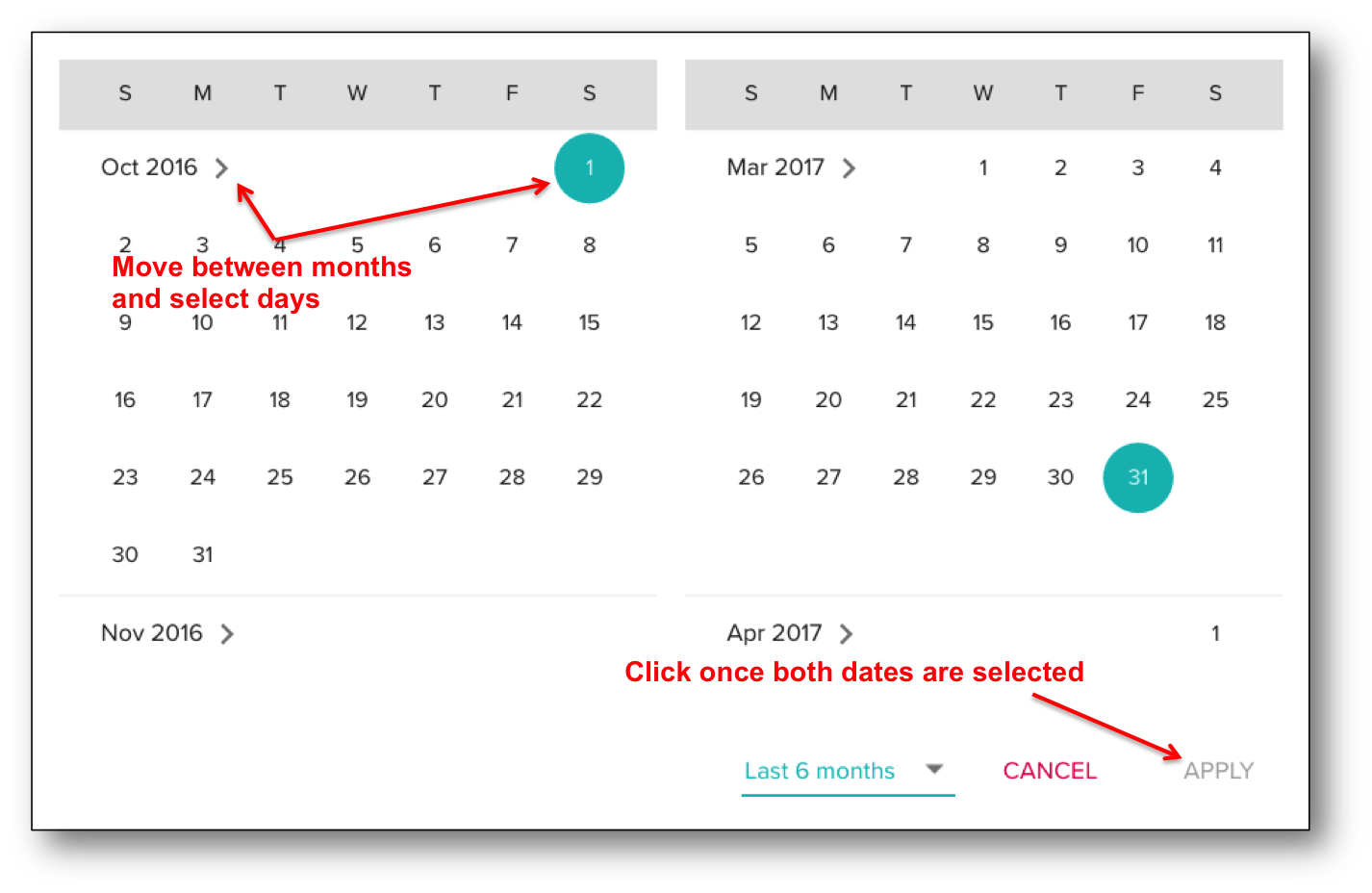
The Concert Platform also enables administrators to customize the preferred date range. To set the start date, use the calendar on the left to scroll through the months until you find the preferred month, then click on the date. To set the end date, use the calendar on the right and perform the same task. Once both dates have been selected, click the 'Apply' button.