Monitor
The Monitor Reports can be utilized to help consolidate laboratory volume and provide valuable insight into ordering behavior of departments/physicians to identify areas of costs savings. There are three (3) subcategories of the Monitor Report: Vendors, Departments, and Physicians.
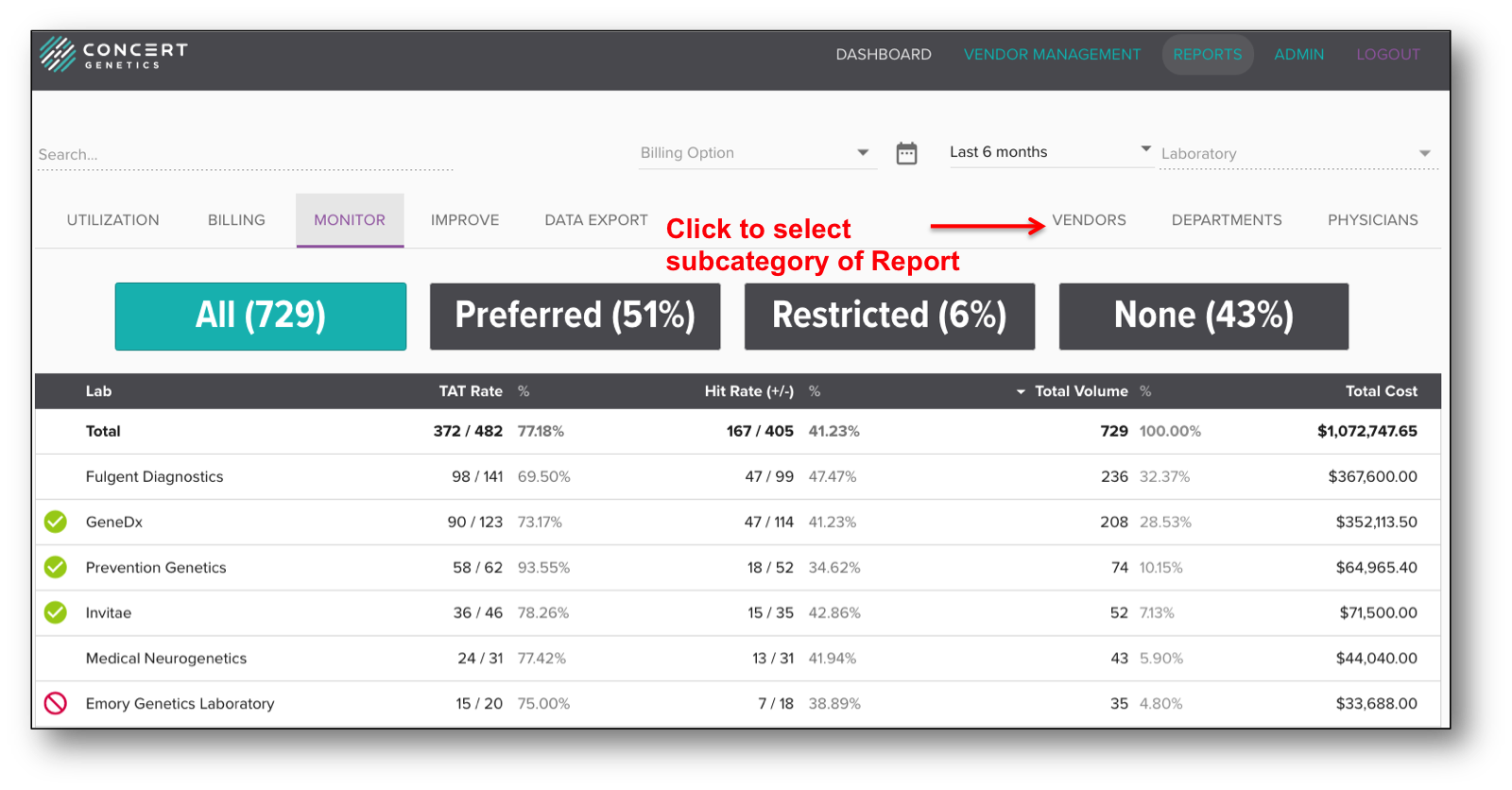
To access one of the subcategories of the Monitor Report, select the subcategory, which can be found on the right side of the platform below the Search bar.
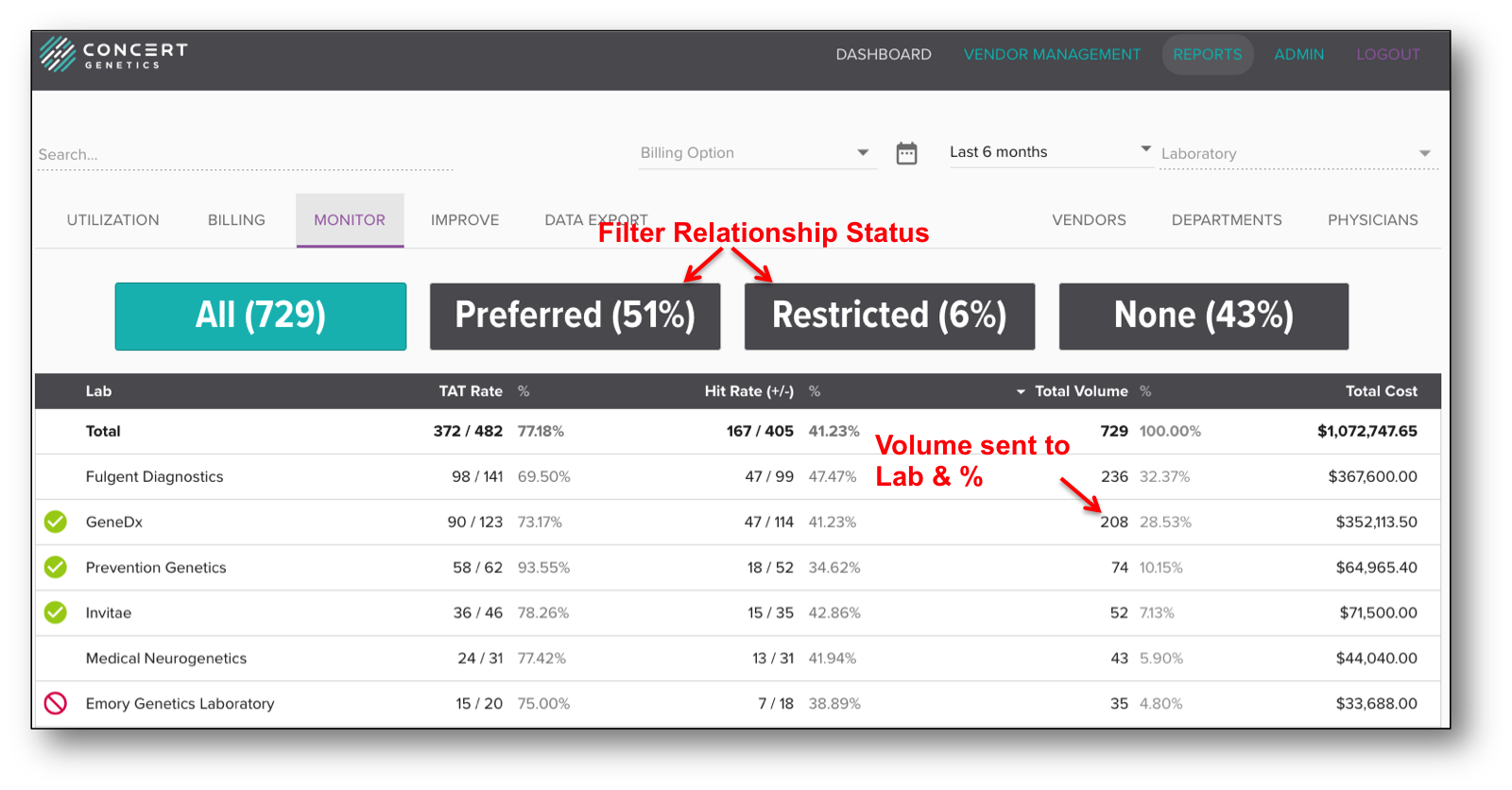
The Vendors Report summarizes the total volume and cost associated with all test orders for the selected period of time by laboratory. Additional information provided for each laboratory includes the TAT Rate (the percentage of time the lab reported the result within the TAT), and the Hit Rate/Yield (what percentage of results had a mutation identified). Laboratories are identified as Preferred, Restricted or No Relationship, and a breakdown of the total volume by number and percentage is included on the top of the table. As a reminder, vendor relationship settings can be updated within the Vendor Management module. To filter laboratories by relationship status, click on the header.
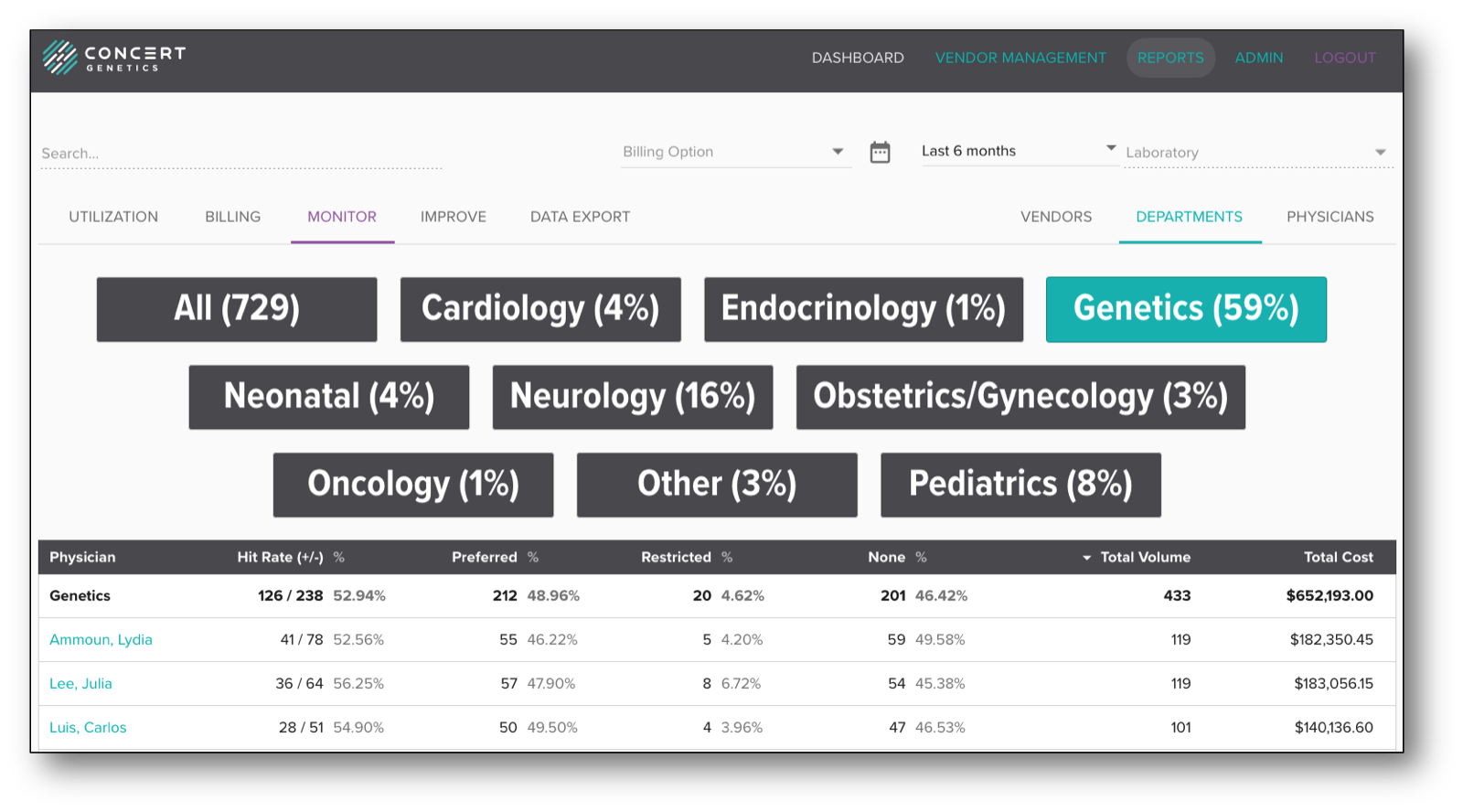
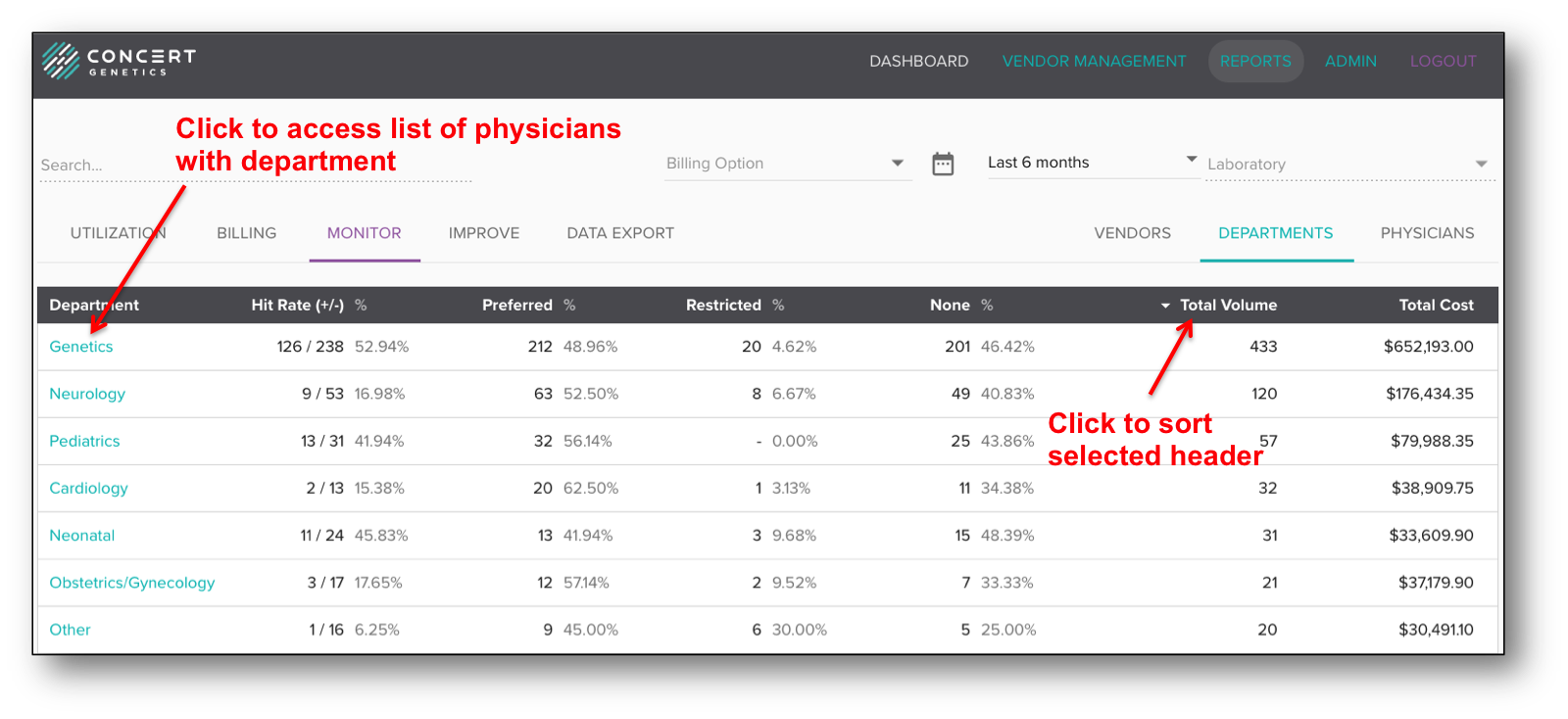
The Departments Report summarizes ordering behavior by department, including the percentage of orders sent to preferred/restricted/no relationship laboratories, the total volume and the total cost. The data can be sorted by Department, Volume or Cost. To access detailed physician information within the department, administrators can click on the department name.
The Physicians Report summarizes ordering behavior by physician, including the percentage of orders sent to preferred laboratories, the total volume and the total cost. The data can be sorted by Physician Name, Department, Volume or Cost. To access detailed test and lab information by physician, click on the physician's name.