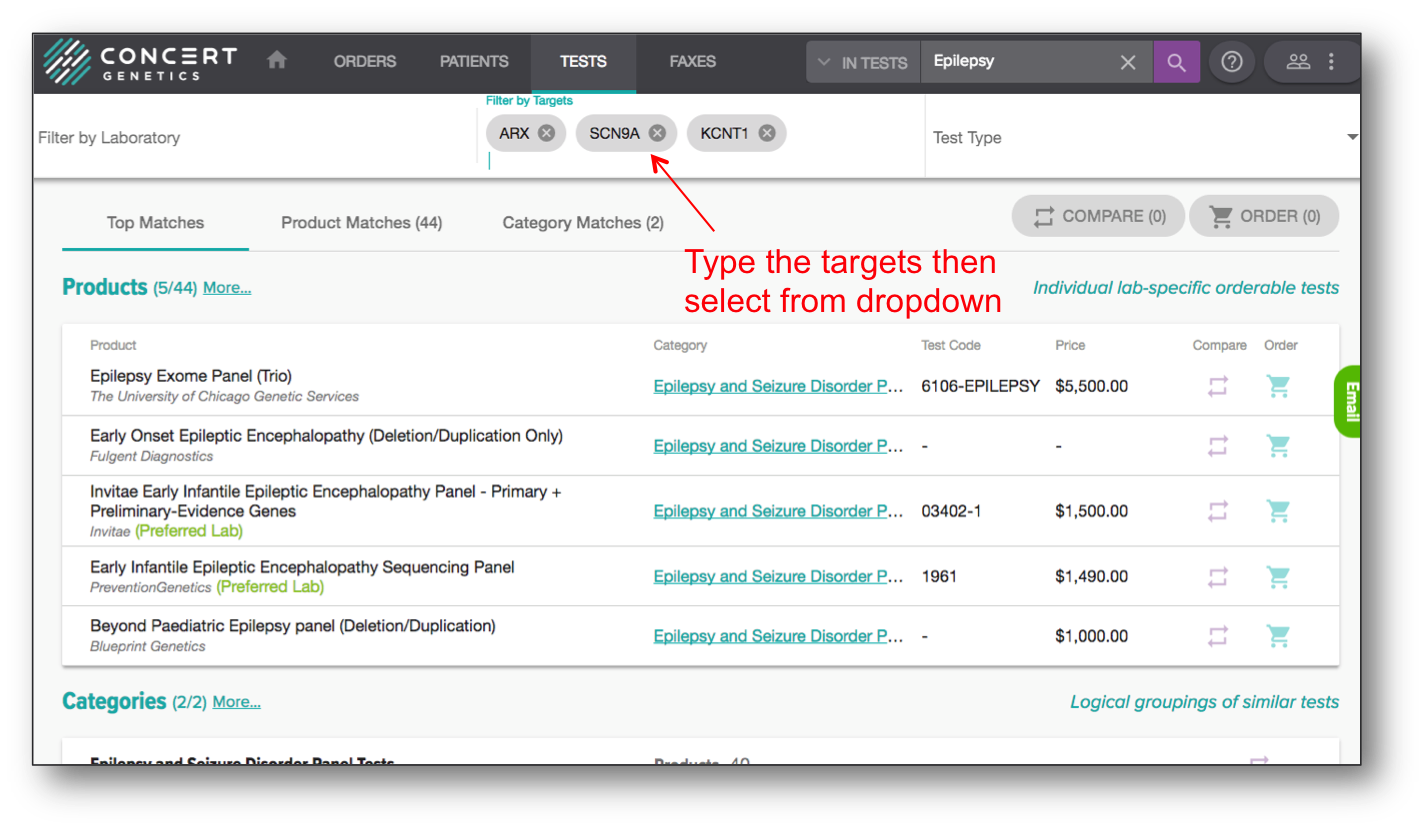
Using the Filters
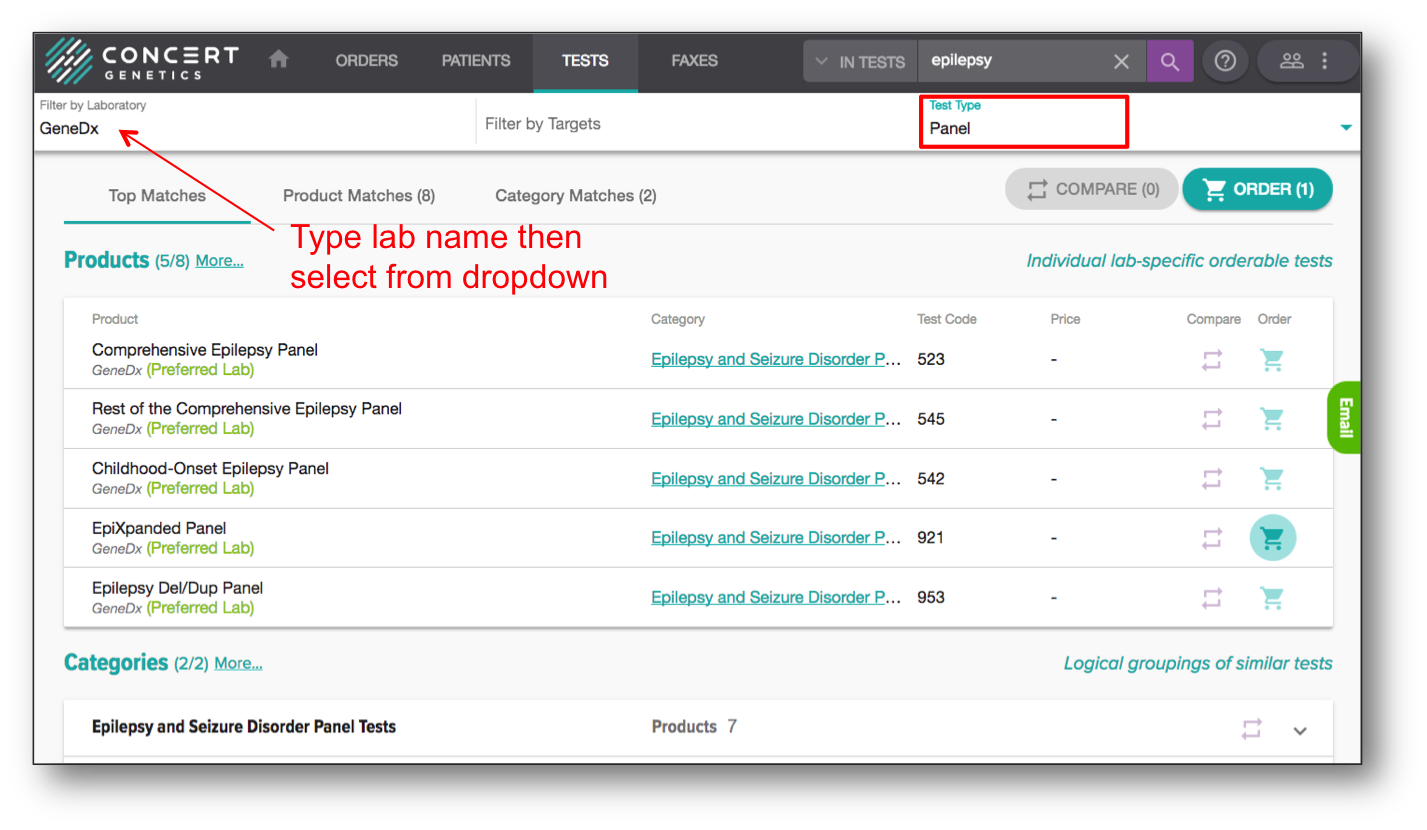
Filter by Lab Name and/or Test Type Begin by searching for the desired disorder or gene name. Apply the Laboratory filter by typing in the lab name then selecting the requested lab. Then turn on the Test Type filter to select from options including single, panel or exome.
Filter by Target To identify all products with specific targets in them, once the search results are listed, enter all requested targets into the filter. To do so, begin typing in the gene name, then selecting the desired gene when it pops up as an option. This filter will display only those products matching the filtered targets 100%.