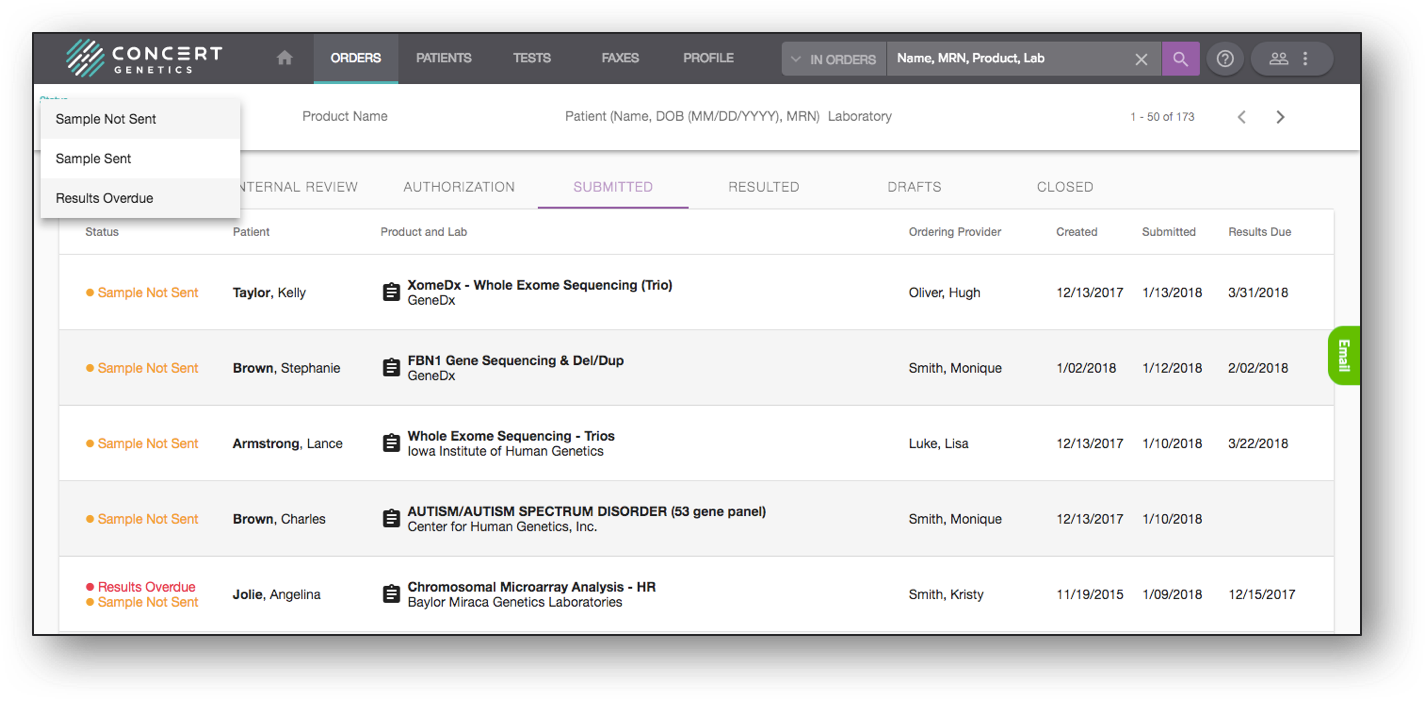
Filters
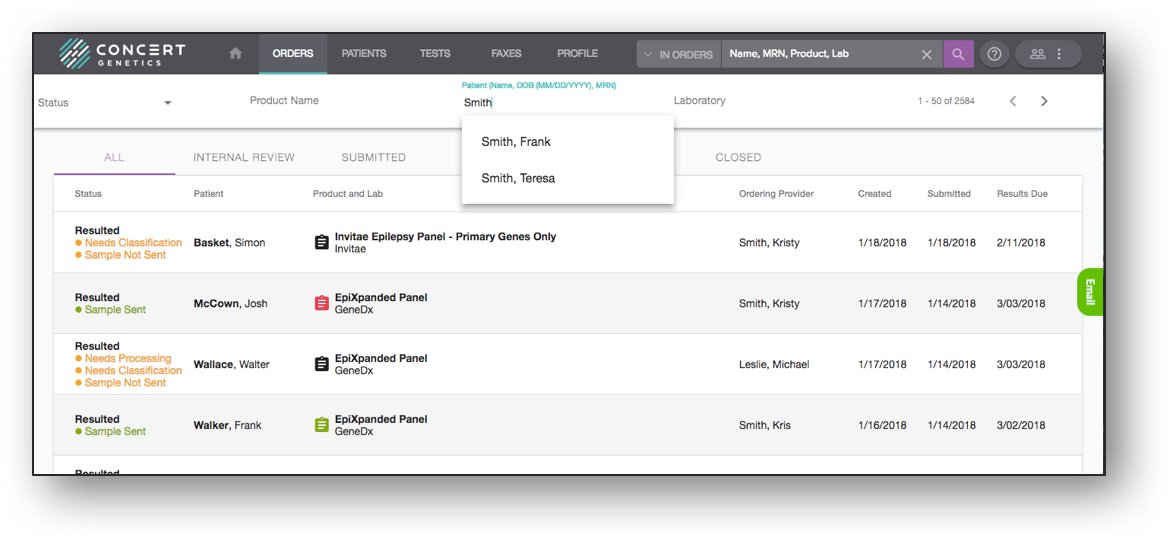
Users can filter the order folders on four different data points: Status, Product Name, Patient Name and Laboratory. To utilize the last three, begin typing in the information in the respective field. If the data point is tied to an order in the folder being searched, the platform will auto-populate the match. Select the suggested filter query to initiate the filter process.
The Status filter will work on all folders except the ‘All’ folder, as the selections change based on which step of the workflow the order is in. This includes identifying the ‘Overdue’ orders, which can be found in the Submitted folder.