Manage Tests
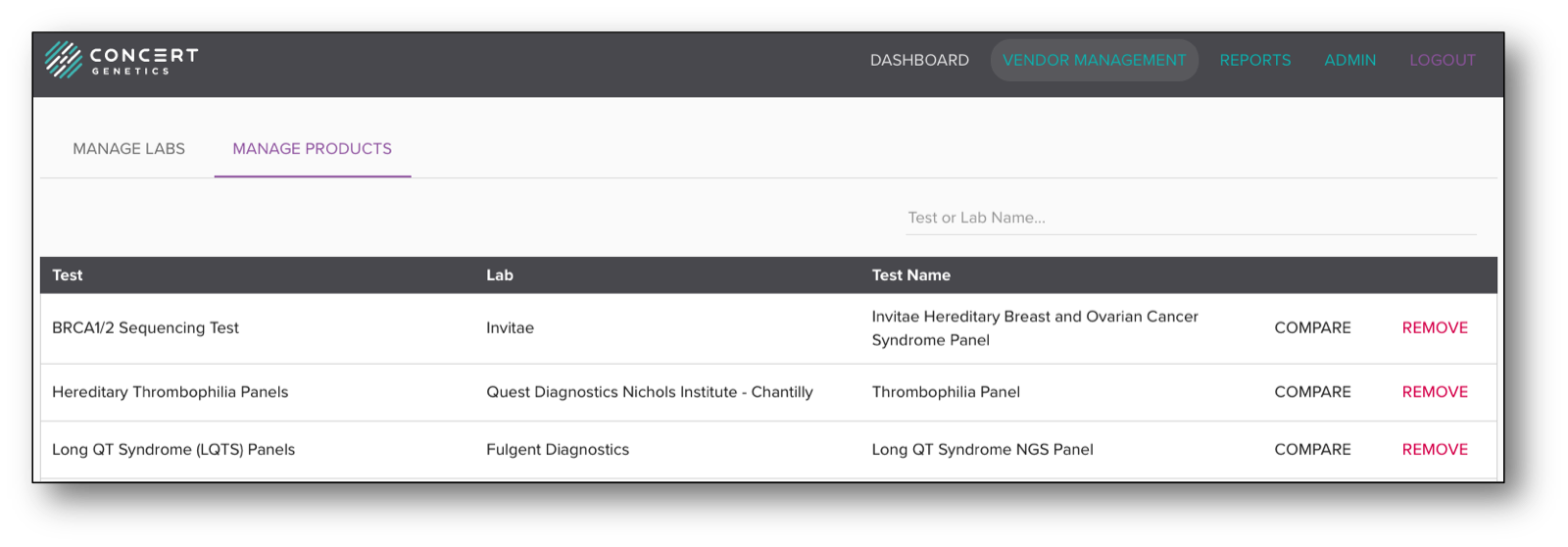
The Manage Test module allows Administrators to monitor individual tests that have been marked as preferred. From this module Administrators have the ability to compare the other testing products in that bin or remove the preferred relationship for that test.
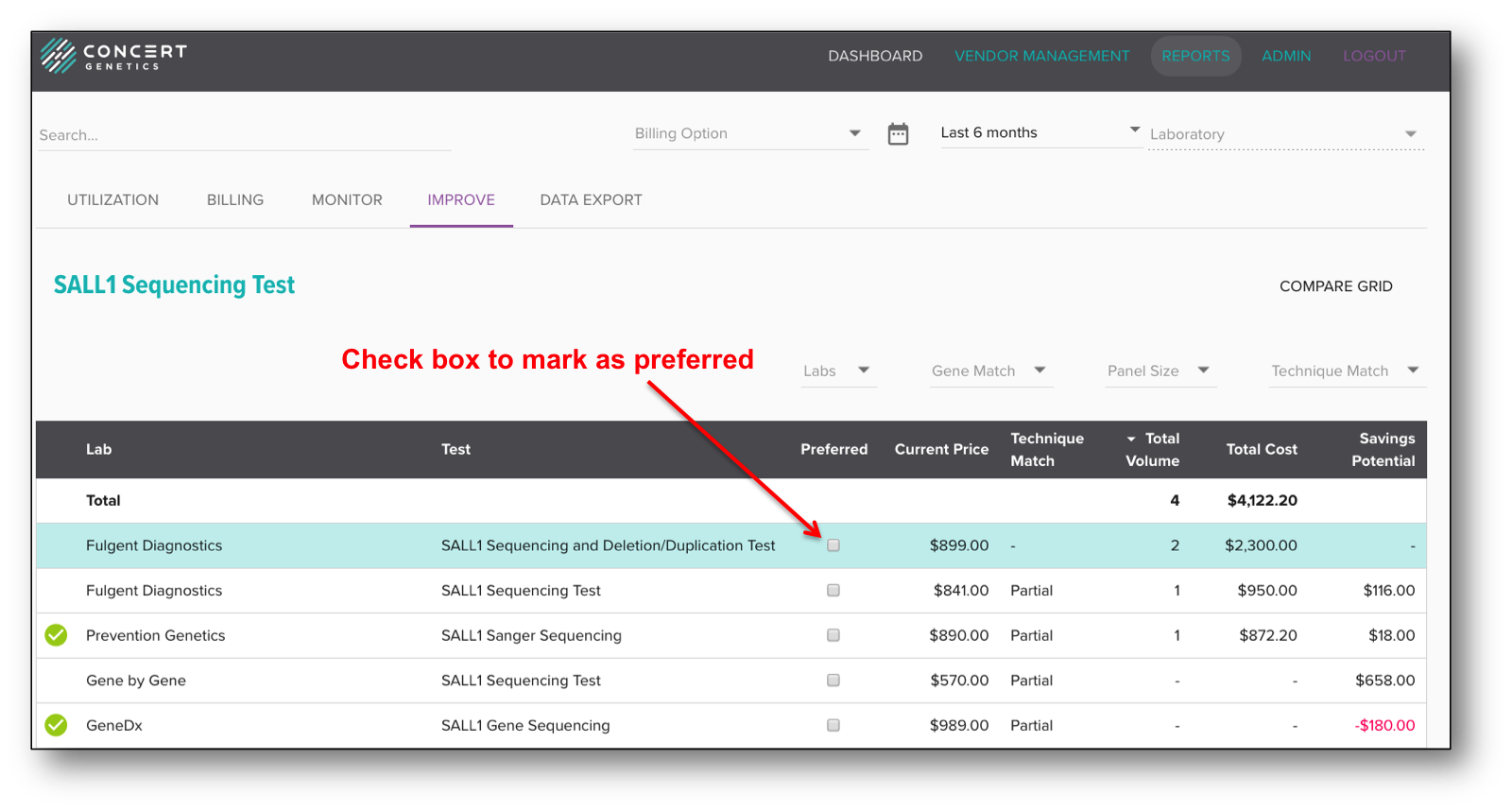
There are two ways for Administrators to mark an individual test as preferred. First is within the Improve Report, which gives Administrators the tools to identify comparable lower cost test options. After completing research on the new test, the Administrator can check the Preferred box next to the identified test and the platform will automatically save the new test relationship.
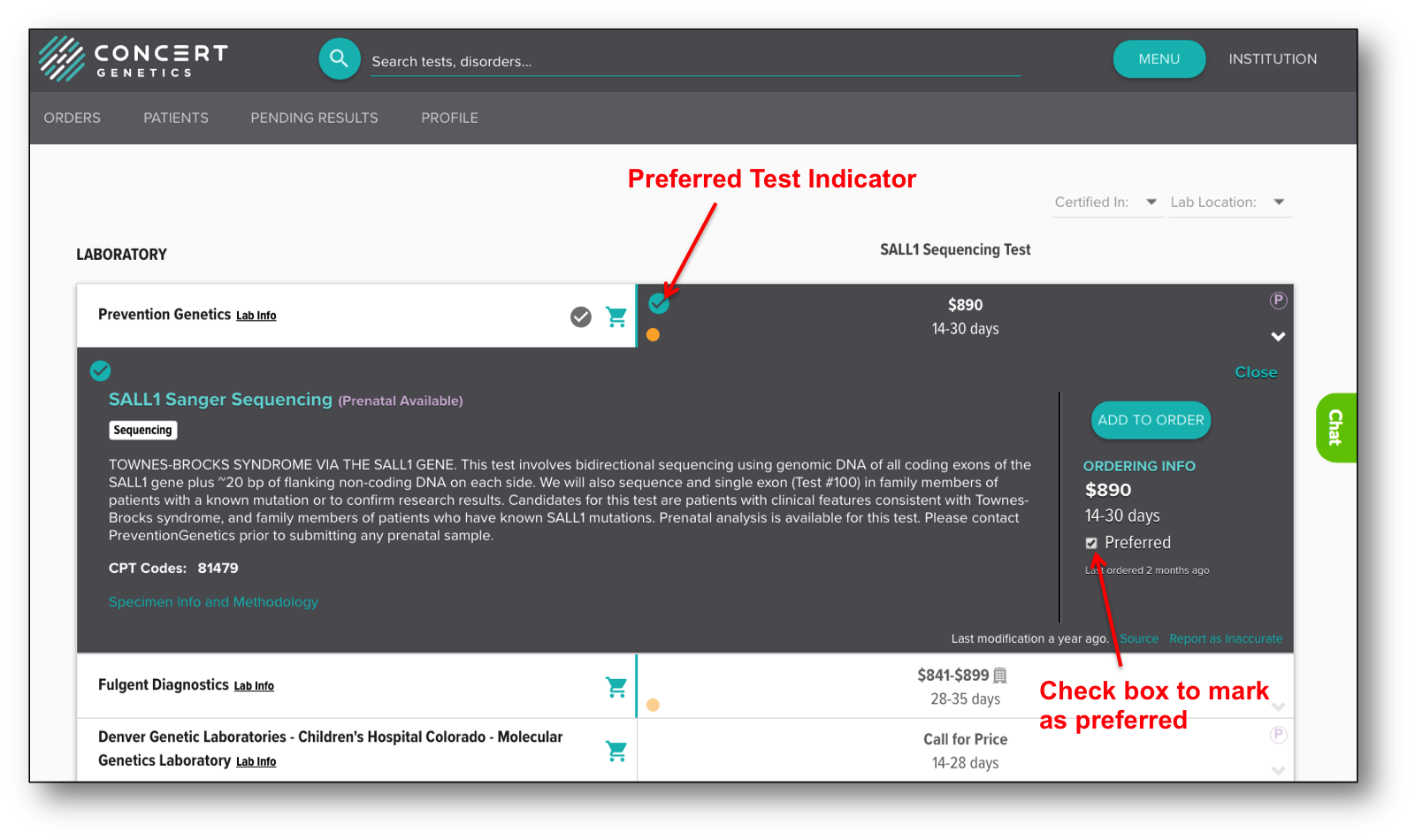
The second way to mark a test as preferred is from the Compare grid. After comparing available test options, Administrators can open the test details for the desired test and check the Preferred check box. After checking the box, the platform automatically saves the change, and the check mark icon (indicating a preferred relationship) will display.