Shop & Compare Laboratories
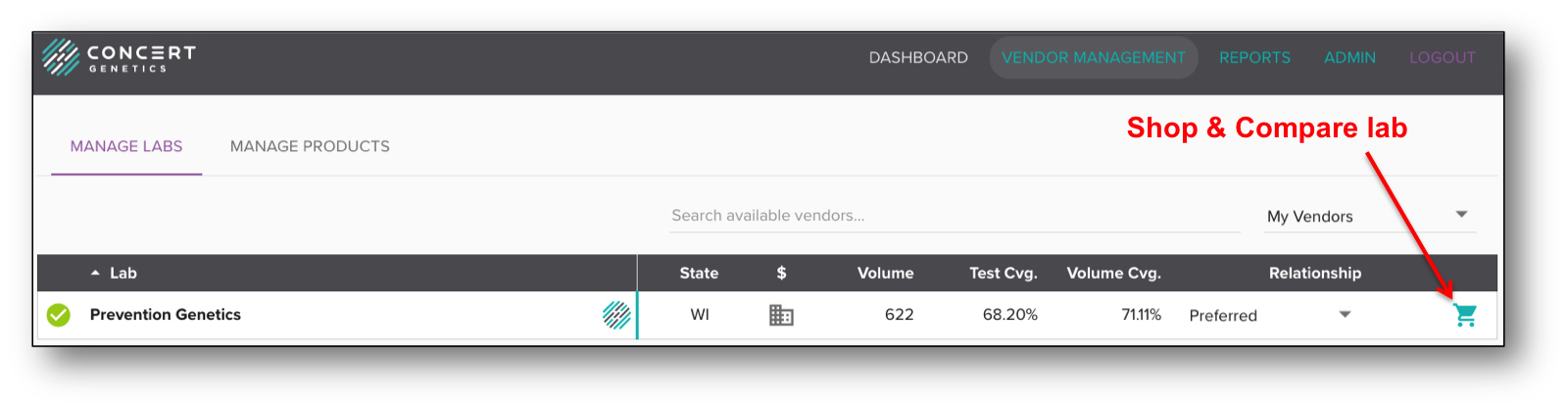
As part of managing vendors, The Concert Platform offers you the ability to shop and compare laboratories, providing information about the laboratory and its test catalog. To access the Shop & Compare feature for a laboratory, click on the shopping cart icon for that laboratory.
The Shop & Compare page has three different sections:
- Manage Relationship
- Catalog Coverage
- Availability of your frequently ordered tests
In the Manage Relationship section, you can document the relationship status within the platform, and record lab-specific information such as your account number or notes related to the account (ex. special discounts).
You can also click on the 'More Info' button to access additional lab details (see More Lab Information section).
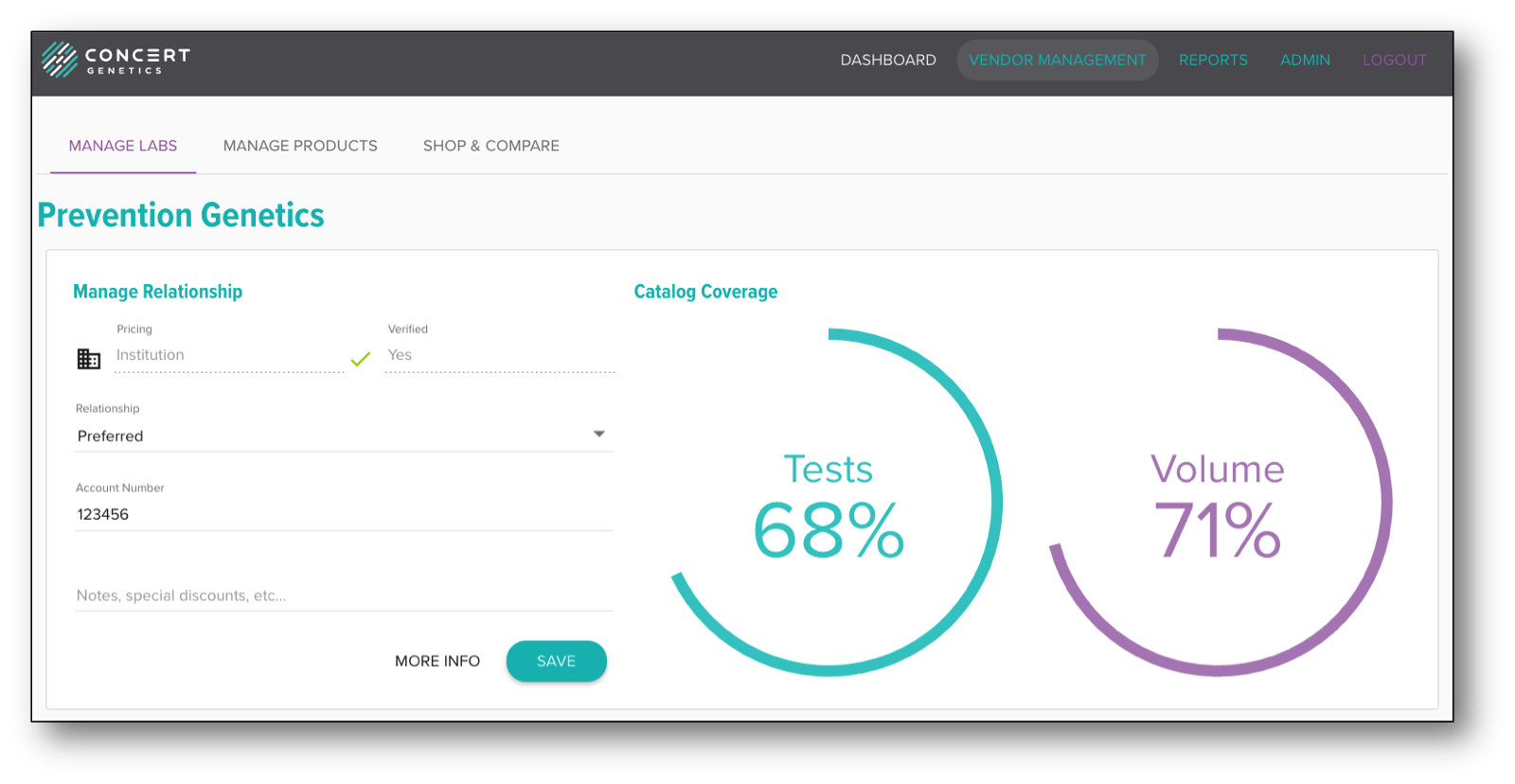
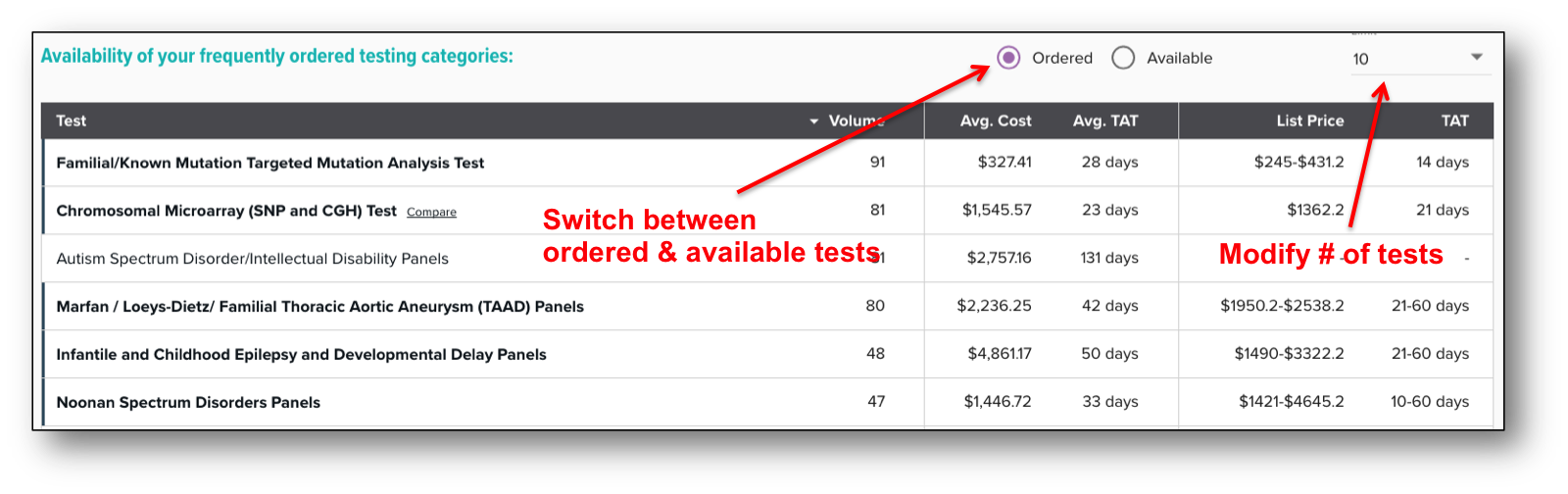
The Catalog Coverage section documents the same information displayed on the main Vendor Management screen. The third section is Availability of your frequently ordered tests. In this section you can compare your institution's highest volume tests against the laboratory's test catalog. Each test bin includes the order volume, the average cost your institution has paid for the tests in that bin and the average TAT of returned results. The last two columns include the lab's price(s) and stated TAT(s) for that test bin. We recommend performing a more comprehensive analysis before switching laboratories, but this is a useful tool for gauging coverage of your institution's highest ordered tests.
To modify the number of compared tests, click the dropdown in the top right corner. You can also switch between displaying all tests your institution has ordered versus only those offered by the laboratory. Test bins in which the laboratory has an offering are indicated with bold text and a gray line on the left of the bin name.